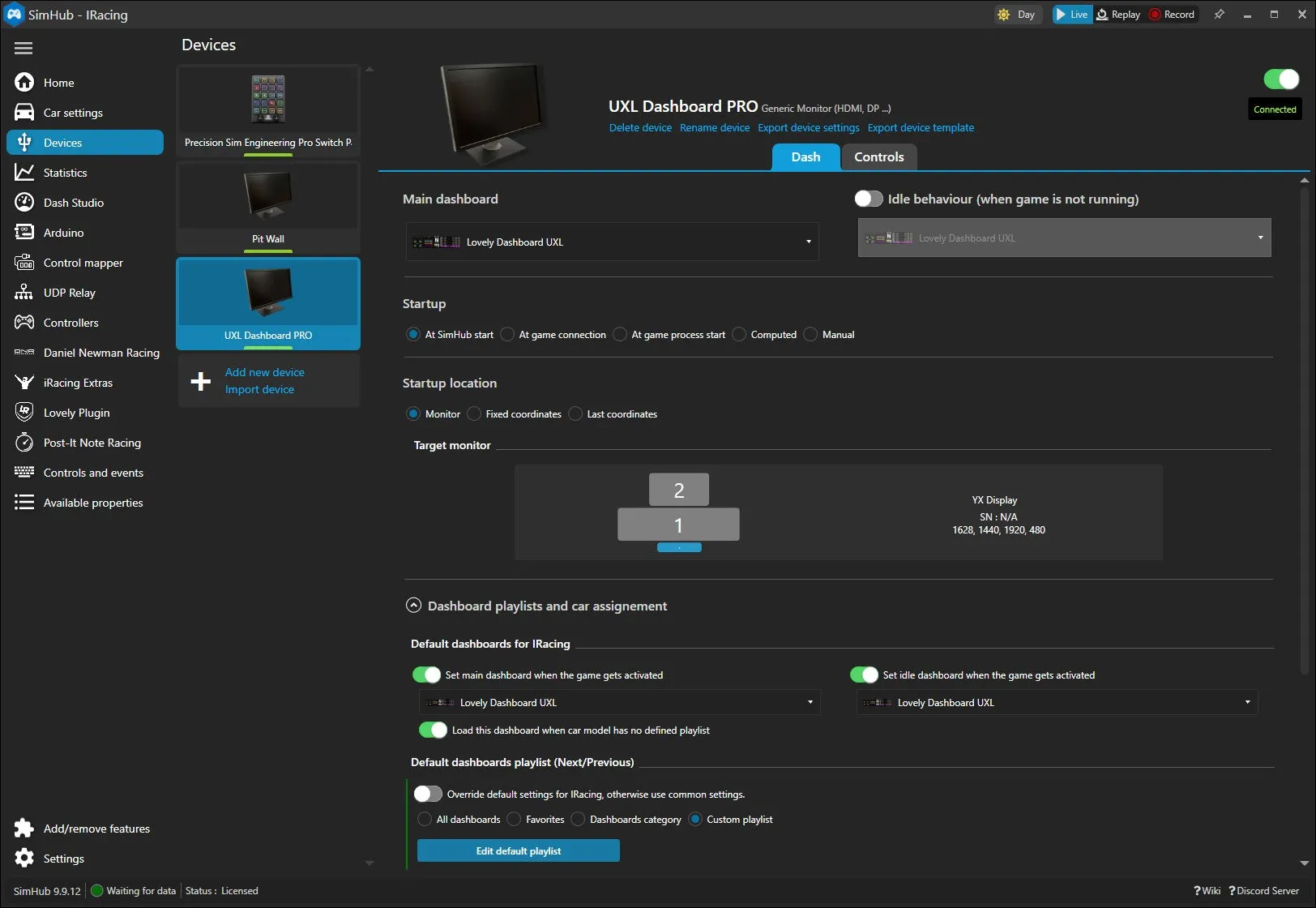




Mounting and Installation
Attach the mount to the bottom of the Logitech Pro wheelbase with the included hardware. A typical wheeldeck installation will look similar to the following:
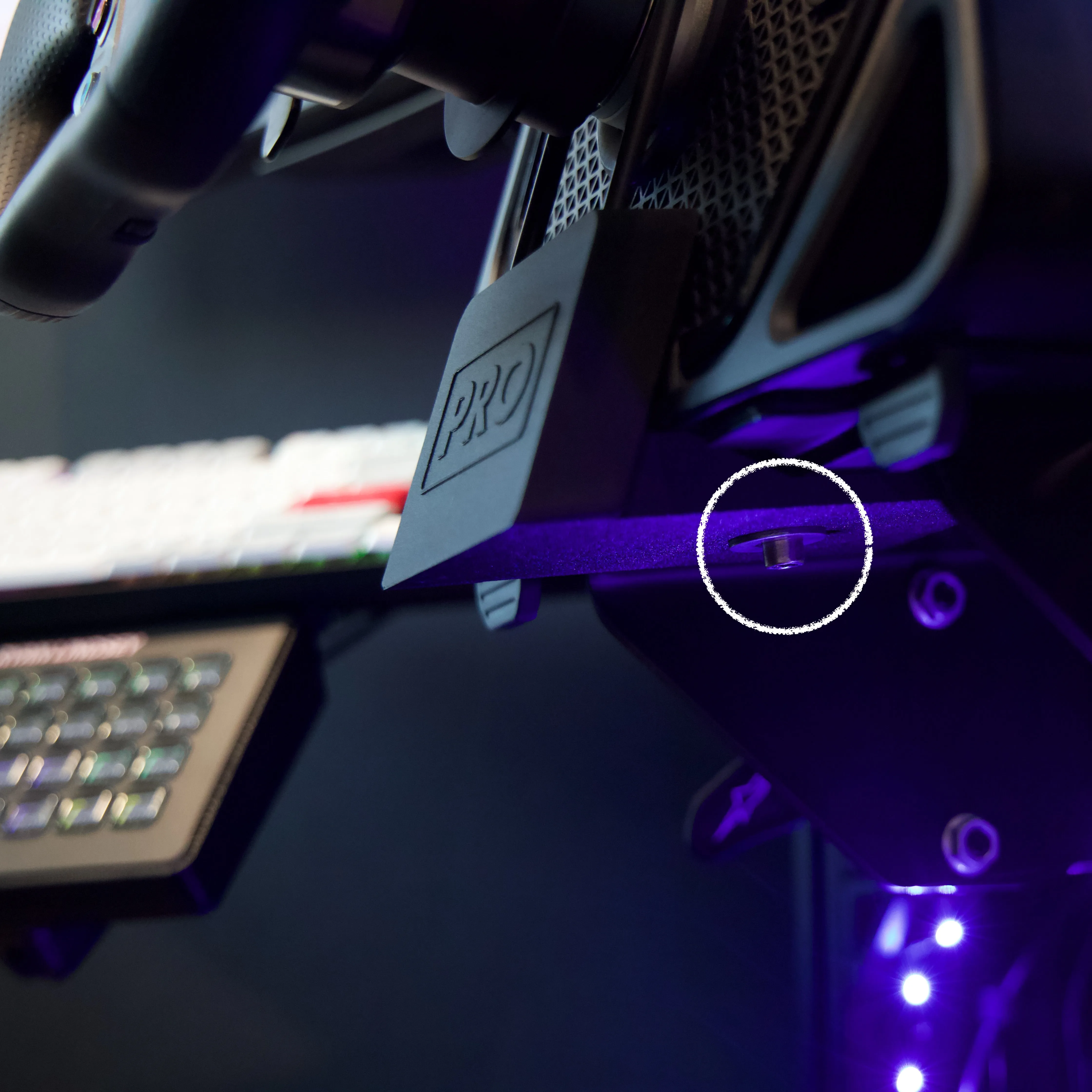
Test fit the mount with the wheelbase before attaching the dashboard rods into the mount. The mount design allows for some forward and backward adjustability to suit your sim rig and preferences.
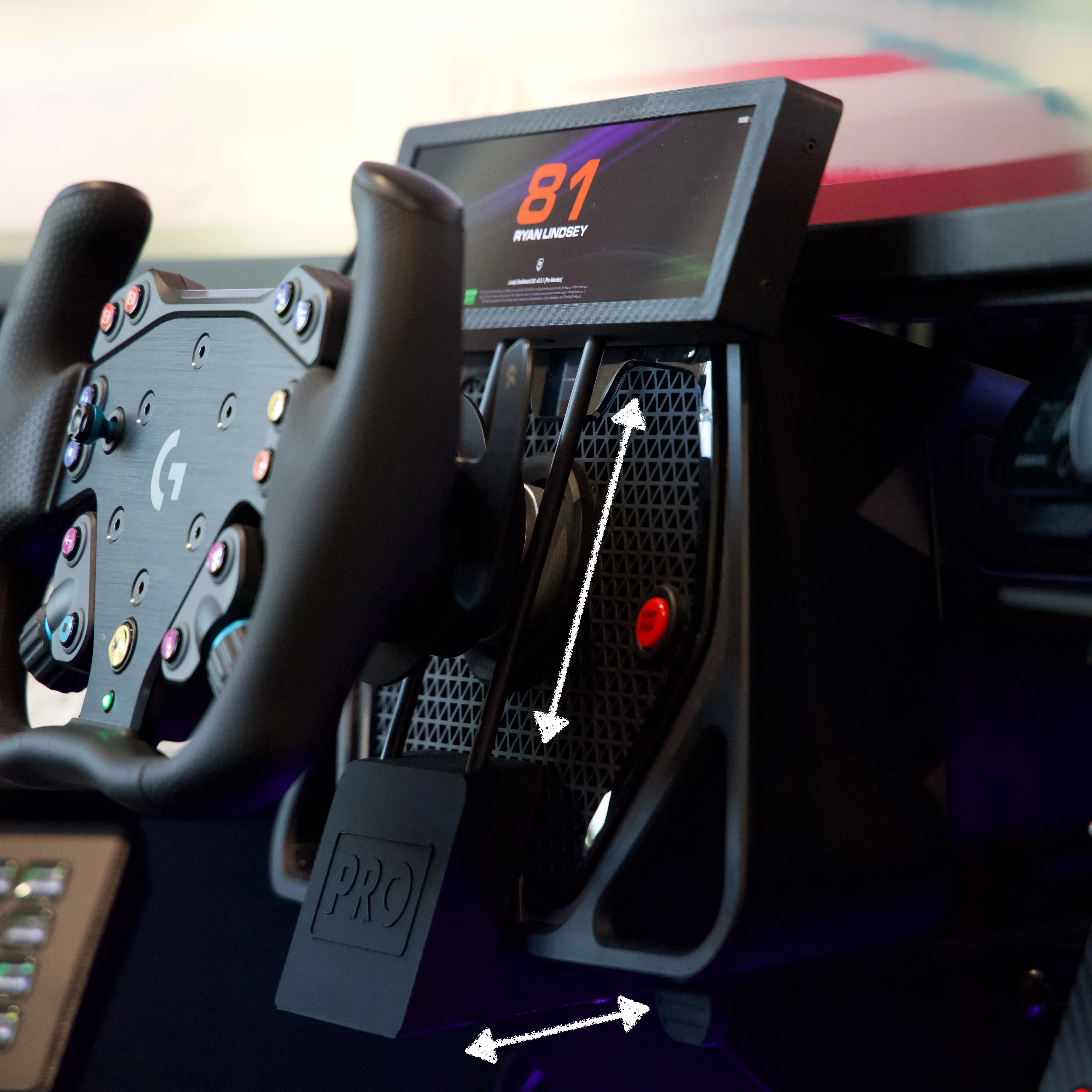
Windows Setup
The UXL Dashboard PRO functions like an additional monitor on your PC. It connects via USB for power and HDMI for display connectivity. It’s recommended to connect the USB to a powered hub if possible. Windows will recognize this display and you may need to adjust the position and orientation in Windows Settings.
SimHub Setup
Download and install SimHub if you don’t already have it on your system. If you’re feeling generous, feel free to pay for a lifetime license. It’s worth every penny!
Recommended Installation
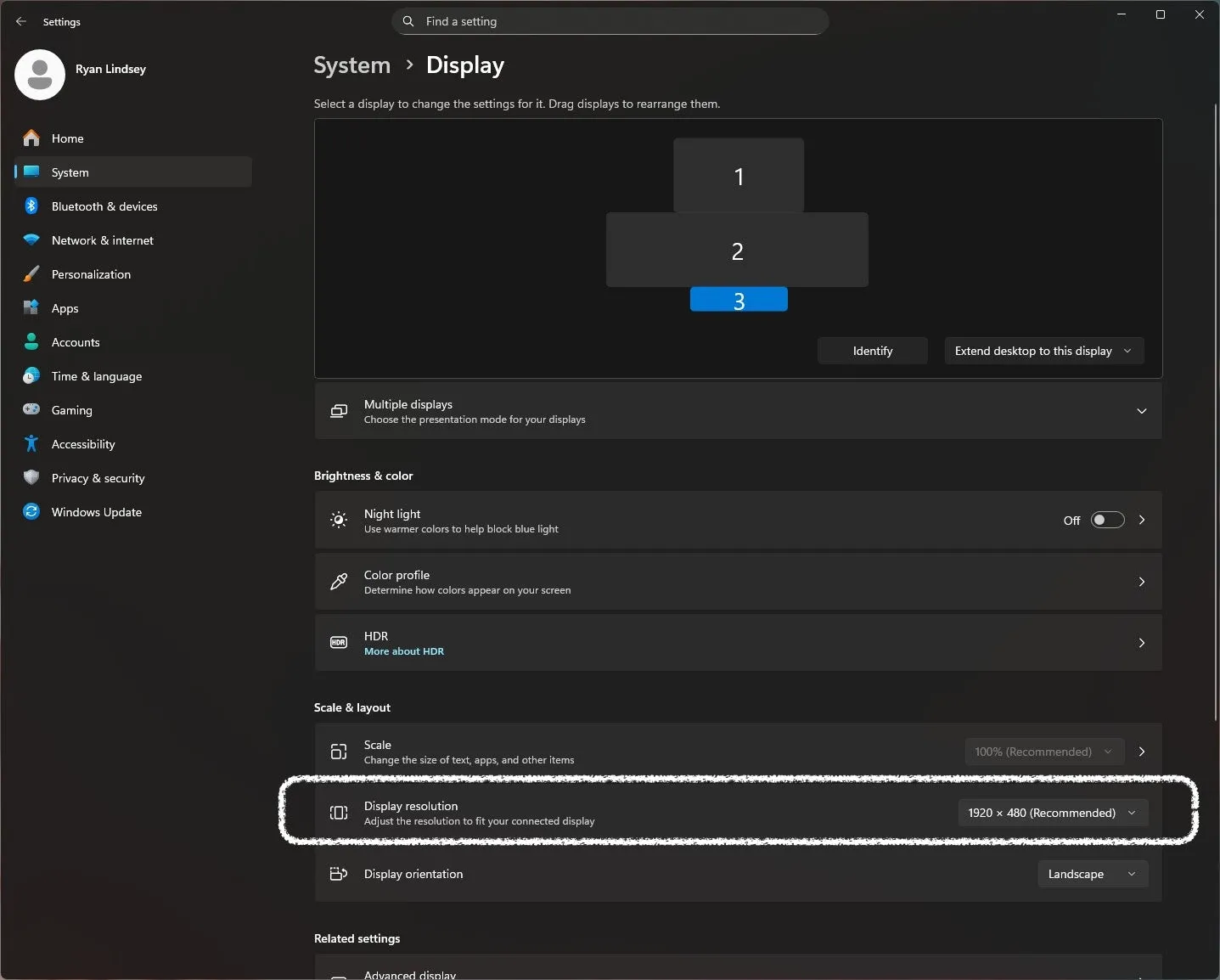
Download the SimHub .shdevice file for your UXL Dashboard PRO from the Downloads page. Double click the file you just downloaded and SimHub will create a new device that will appear in your Device tab.
Complete the setup by clicking “Monitor Not Found” and selecting the new display you added in the previous step.
Manual Installation
With SimHub running, you’ll want to add your UXL Dashboard PRO under the Devices section as a new Generic Monitor.
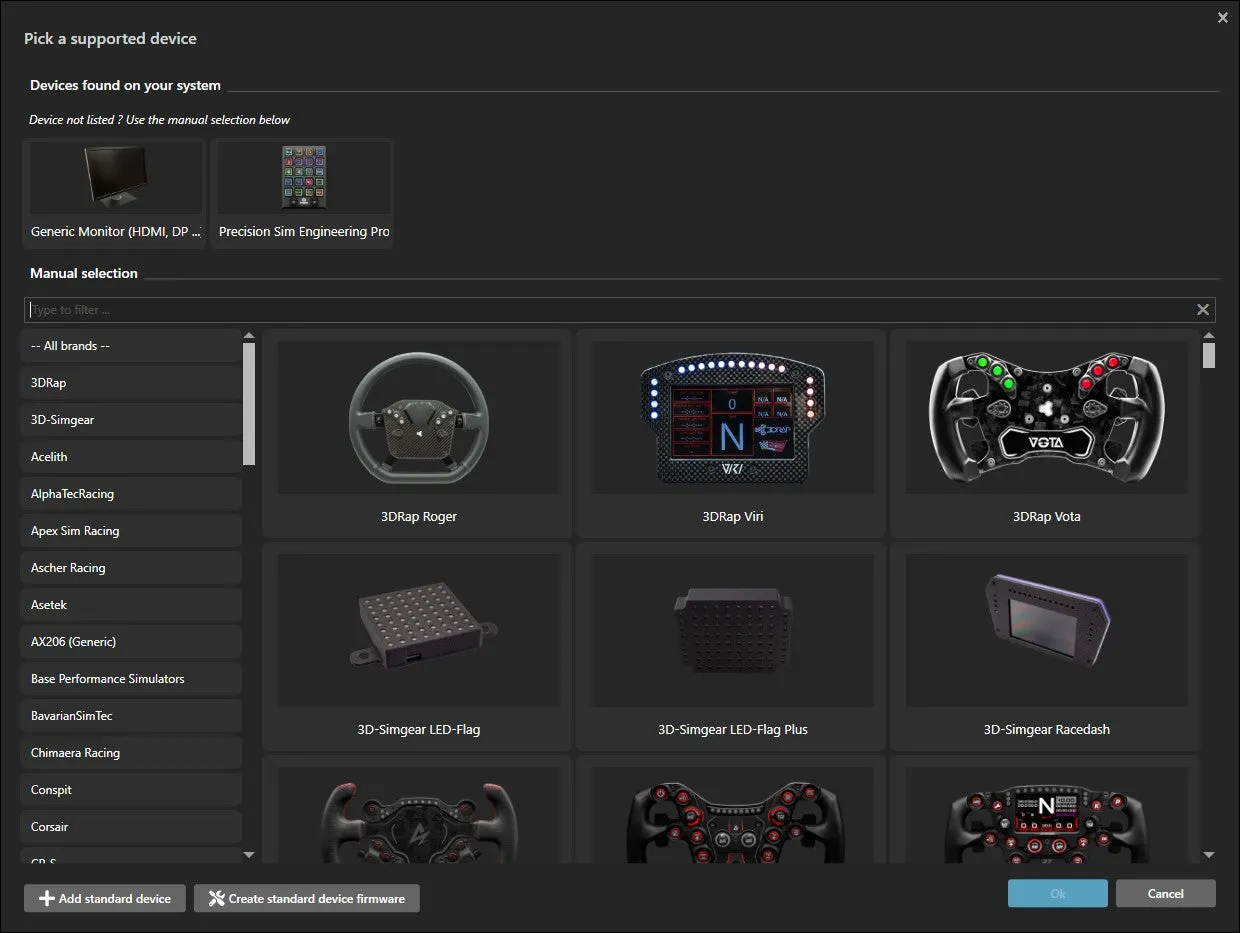
Renaming the new display device from the default to UXL Dashboard PRO may be helpful for future reference.
Lovely Racing Plugin
Lovely Racing currently makes the best dashboard plugin for sim racers with ultra low profile dashes like the UXL Dashboard PRO. Download and install the Lovely Plugin for SimHub.
In the Lovely Plugin settings you can then choose which dashboard versions to install. The UXL option is all that is required.
Configuration Example